
Welcome to Your Arriva Customer Hub
Welcome to Arriva! We’re committed to providing world-class connections with hometown service. From setting up your account and managing your home Wi-Fi to understanding your bill and finding support when you need it, this page is your one-stop resource for getting connected and making the most of your Arriva services.
Everything You Need in One Place
Manage your account, pay your bill, enroll in AutoPay, and take control of your home Wi-Fi—all from your computer or mobile device.
Create Your Account
Manage your Arriva services online—pay bills, view statements, enroll in AutoPay, and stay connected with account updates.
Download the Arriva App
Take your account with you. Pay bills, view invoices, enroll in AutoPay, update payment methods, and manage your account anytime.
Download Command IQ
Take control of your home Wi-Fi with device management, speed tests, guest networks, parental controls, and real-time network alerts. (Not available to customers in the Bruce, MS service area.)
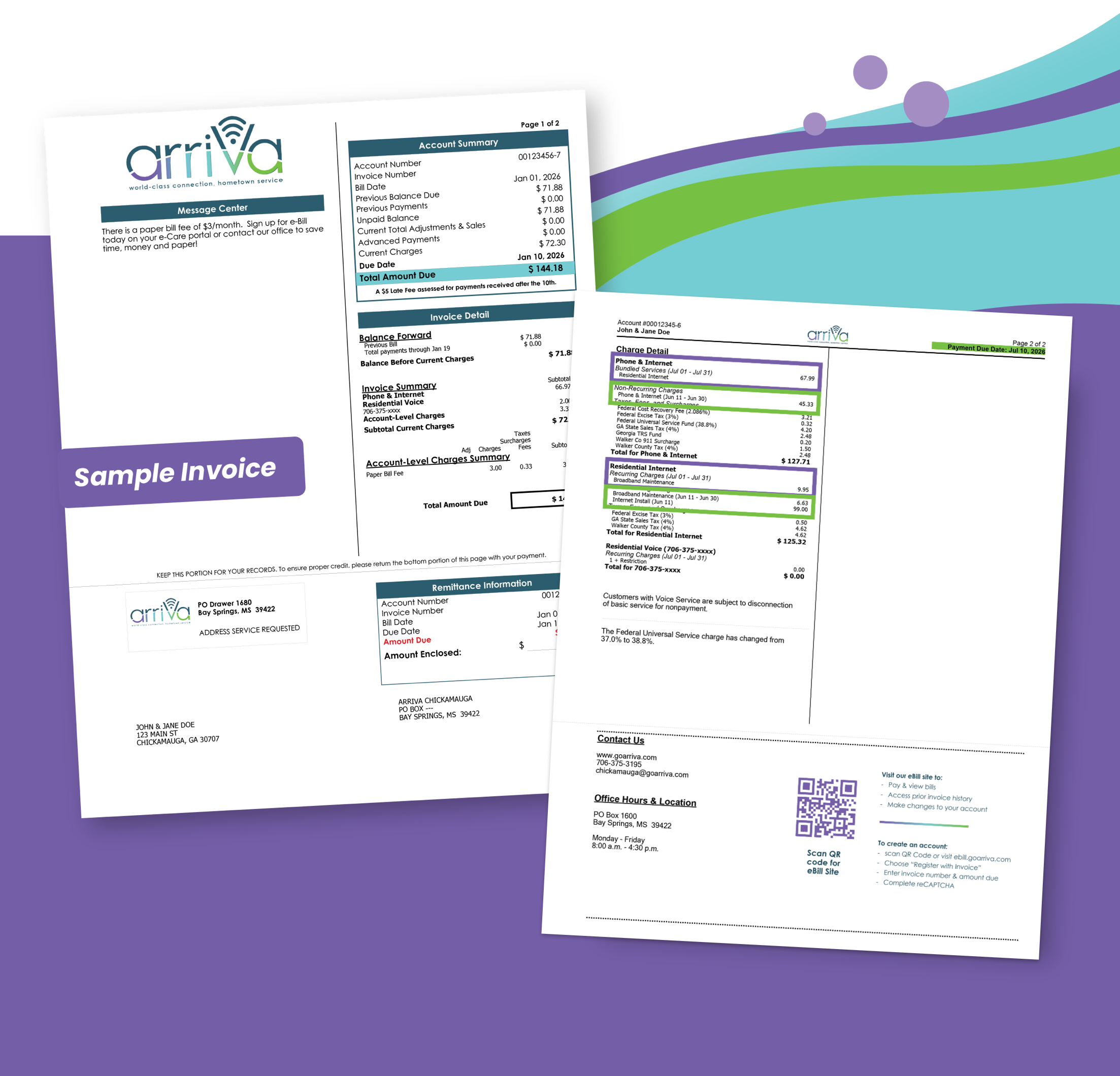
Understanding Your First Arriva Bill
is your first invoice higher than expected?
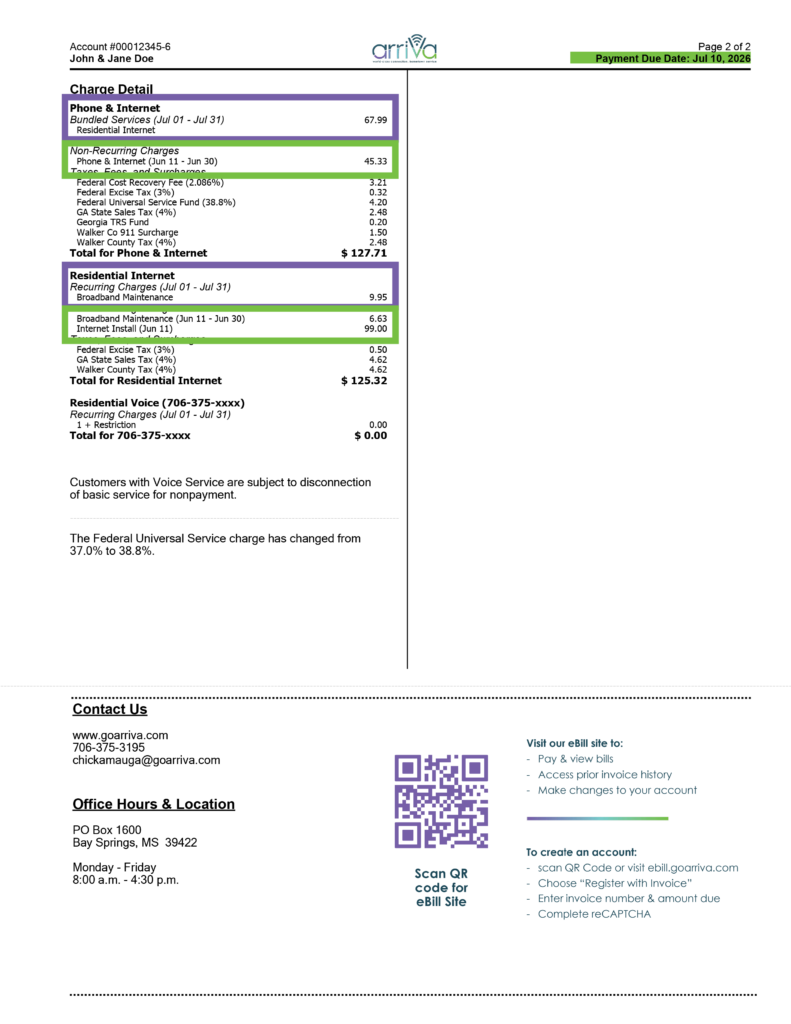
You can pay online at goarriva.com, or by contacting our office.
If payment is not received by 11:59 p.m. local time.
Services are billed one month in advance, and usage-based services like long distance are billed in arrears.
Disconnect for nonpay; reconnect fee applies.
Your questions answered
FAQ's
Why is my first invoice higher than expected and what are pro-rated charges?
Will every invoice be this amount?
When is my payment due?
Payment is due on the 1st of each month.
When do late fees apply?
Late fees apply on the 10th of the month, or the next business day if the 10th falls on a weekend or holiday.
How can I lower my monthly Arriva invoice?
Arriva participates in the federal Lifeline program, which provides eligible low-income households with a monthly discount on qualifying communications services. Eligible customers may receive a monthly Lifeline benefit of up to $9.25/mo. toward qualifying broadband service, or up to $5.25/mo. toward voice service (amounts correct and up to date as of July 1, 2026. Verify benefit amount on official Lifeline Website). Only one Lifeline benefit is available per household. To apply, visit www.LifelineSupport.org or call 1-800-234-9473. Eligibility is determined through the National Verifier, which is administered by the Universal Service Administrative Company (USAC) on behalf of the Federal Communications Commission (FCC). Once your Lifeline application is approved, contact Arriva to have your benefit applied to your qualifying service.
How do I set up autopay?
Log in to your Arriva online account, click “Auto Pay,” and follow the prompts.
Follow Us on Social Media
You can pay online at goarriva.com, or by contacting our office.
If payment is not received by 11:59 p.m. local time.
Services are billed one month in advance, and usage-based services like long distance are billed in arrears.
Disconnect for nonpay; reconnect fee applies.

You ask, we answer
We’re here to help with account setup, autopay, and notifications.
For more information, visit our FAQs page